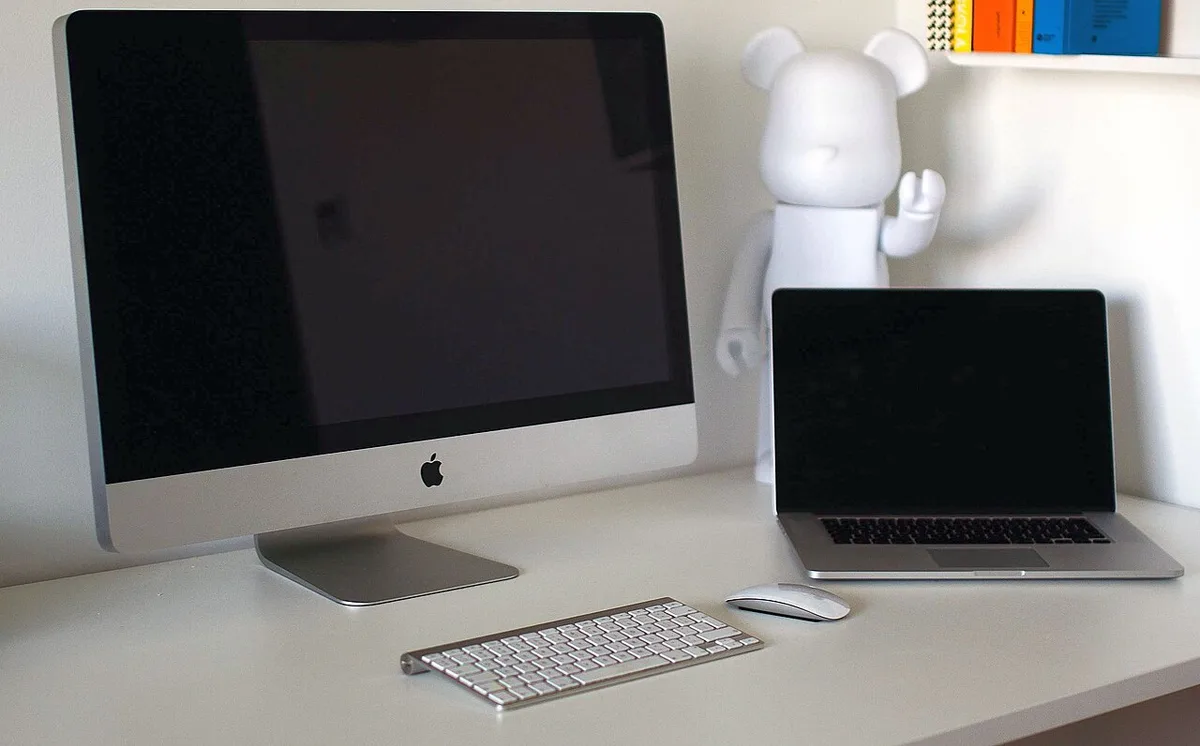
- An all-in-one simplifies setup but links display and computer lifecycles.
- Check room lighting, posture, accounts, and storage before purchase.
- Manufacturer prices and specifications are not independent test results.
A desktop can still be the deliberate choice
The assumption that every computer should be portable overlooks a large group of people whose work has a stable address. A family desk, a studio corner, a reception counter, or a small office may benefit from a machine that is always ready in the same place. Apple’s new iMac with M6, announced October 27, puts the all-in-one desktop back into that conversation. Its significance lies partly in performance, but also in the decision to bind the screen, computer, camera, and speakers into one object.
Apple’s release describes M6 configurations and lists a United States starting price of $1,499, with availability beginning November 6. Prices, options, and regional terms should be checked before purchase. We have not tested the new iMac. The announcement establishes what Apple is offering, while the questions below concern the consequences of choosing an integrated desktop for several years of daily use.
Integration reduces some decisions and concentrates others
An all-in-one system removes a number of separate shopping tasks. The display is already paired with the computer, and the built-in camera and audio can cover ordinary communication without additional equipment. Fewer visible components can make a desk easier to manage, especially in a room that serves several purposes. That simplicity is valuable when the person using the computer does not want to spend weekends comparing adapters and rearranging cables.
The same integration concentrates the replacement decision. A display can remain useful through several generations of computing hardware when the two are separate. An all-in-one follows a different lifecycle. Before buying, ask which part of the existing setup usually becomes inadequate first. If the screen remains satisfactory while processing needs grow quickly, a separate desktop and monitor may be easier to update. If the priority is one coherent appliance with minimal arrangement, the iMac’s integrated approach may be more persuasive.
The room matters as much as the desk photograph
A computer that stays in one place must work with that place. Window direction, overhead lighting, wall reflections, and the location of power outlets influence the experience. A beautiful desk photographed without cables or daylight glare does not establish that the same arrangement will be comfortable at home. Visit the intended position at different times of day. Notice where reflections appear and whether another person needs to move behind the chair while the computer is in use.
Screen height and seating position deserve equal attention. A fixed display arrangement can be convenient, but it should support the user’s posture rather than dictate it. Measure the available depth, the distance from the seated position, and the space needed for a keyboard and pointing device. Shared desks may need a chair that adjusts easily between users. These considerations are unglamorous, yet they shape every hour spent at the machine. A faster processor cannot compensate for an uncomfortable location.
A shared household computer needs separate identities
An iMac can serve as a common household workstation, but sharing hardware should not mean sharing every account. Personal documents, browser sessions, messages, and saved passwords belong behind individual user identities. Separate accounts also reduce accidental changes to another person’s workspace. The practical goal is a computer that feels available to everyone who should use it while preserving appropriate boundaries around personal information and work.
Plan the administrative arrangement before importing a family’s digital life. Decide who installs software, who maintains backups, and where shared files belong. Keep work material subject to an employer’s rules separate from general household access. A guest account or other restricted arrangement may be preferable for occasional visitors. None of this requires turning the desktop into a complicated system. Clear ownership of routine maintenance usually makes a shared computer simpler, because people know which files are personal and which tasks belong to the household.
Creative work depends on the surrounding workflow
An integrated desktop can be attractive for image organization, design, video editing, and everyday publishing because the screen is immediately part of the package. But creative workflows include more than the application window. Camera cards, audio interfaces, archive drives, reference displays, and client communication may all need connections. Inventory those devices and check their requirements against the exact iMac configuration. Two versions with a similar appearance may not offer an identical connection budget.
Storage planning is particularly important for media work. The internal drive should have space for the operating system, applications, active projects, and temporary files. Long-term archives may live elsewhere, but an external archive is not automatically a backup. A useful arrangement includes a separate recoverable copy and a clear process for moving completed work. Evaluate the desktop with that process in mind. A clean all-in-one setup can become cluttered quickly when storage needs were underestimated and several emergency drives accumulate around the stand.
Performance comparisons need a human timescale
For many desktop users, the most noticeable improvement is not a spectacular rendering result. It is consistent responsiveness while several ordinary tasks happen together: a call, a document, a browser, and a photo library. Other users do have sustained workloads that justify closer attention to processor and graphics capability. These groups should not use the same test as their primary buying evidence. A benchmark must correspond to the work before its result becomes meaningful.
Compare the new iMac with the machine actually being replaced. Moving from a much older desktop may change reliability, software compatibility, and energy use as well as speed. Moving from a recent system may produce a subtler result. Avoid turning a manufacturer’s comparison against one selected predecessor into a promise about every household. A practical trial includes the applications, files, peripherals, and communication tools used in a normal week. Watch for interruptions and friction, not merely the shortest recorded processing time.
Simplicity is valuable when it remains useful
The strongest case for an iMac is a stable task, a suitable location, and a preference for an integrated object. A writer, household administrator, or small business operator may value the ability to sit down and begin without assembling a workstation. Someone who regularly changes displays, needs specialized expansion, or travels with the same computing environment may prefer a modular desktop or a laptop. These are different priorities, not a ranking of sophistication.
Before deciding, sketch the desk, list connected equipment, choose an account and backup arrangement, and estimate the total cost over the intended period of ownership. Include any ergonomic accessories required to make the fixed location comfortable. Then verify the latest product details and independent measurements. The M6 iMac makes sense when its integrated design removes ongoing effort without creating a significant future constraint. The real achievement of a desktop is not looking permanently ready in a photograph; it is being dependably ready for the people who return to it each day.
Sources & further reading
Primary references inform the reporting. Our explanations, scenarios, and conclusions are editorial analysis; source statements are not independent test results.
- Apple unveils new iMac with M6www.apple.com
Source publication or reference date: 2026-10-27.
See an error or an important update? Contact the editors.