- Select notifications deliberately instead of copying every phone alert.
- Distinguish measurements, estimates, gaps, and clinical interpretation.
- Evaluate charging and data permissions as core features.
A watch is close enough to become a habit
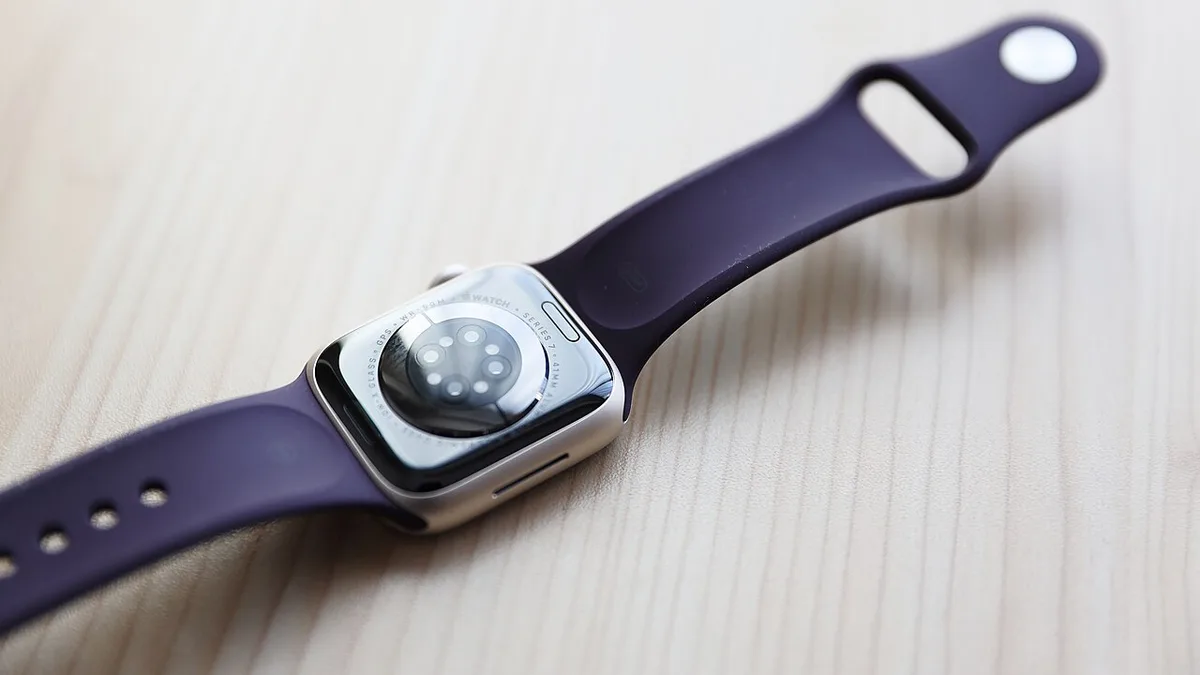
A computer worn on the wrist occupies a different place in a day from one carried in a bag. It can provide a quick answer without requiring a phone, but it can also interrupt moments that would otherwise remain quiet. Apple’s September 9 introduction of Watch Series 12 adds another generation to that tradeoff. The company’s announcement emphasizes a new Health Sensing System and the S11 chip. We have not independently tested its sensors, battery, or software behavior.
The useful evaluation begins with a personal task list. A watch might help with timely reminders, activity logging, navigation prompts, or brief communication. It might also duplicate information already available elsewhere. This article considers the watch as consumer technology and a data interface, not as a medical assessment. Manufacturer health-related descriptions should be read with their eligibility, availability, and intended-use conditions intact. No consumer score discussed here is a substitute for an appropriate clinical evaluation.
Notifications need a smaller admission policy
The wrist is an unusually immediate notification surface. A vibration can be useful when an important message arrives, yet the same immediacy makes low-priority alerts more intrusive. Importing every phone notification onto a watch can turn a convenient glance into a constant demand. The starting configuration should therefore be selective. Decide which interruptions deserve physical contact with your attention and which can wait until the phone is intentionally checked.
A practical first week can begin with calls, essential reminders, and a small number of important contacts. Add other alerts only when their absence creates a real problem. Review the result after several days, including work and leisure. If a notification repeatedly prompts no useful action, remove it from the wrist. A watch earns its place by reducing the effort required to stay informed, not by reproducing every digital event at a more intimate distance.
Sensor data needs context before interpretation
Wearable measurements arrive with an appearance of precision: timestamps, graphs, and numerical summaries. That presentation can make the underlying uncertainty easy to overlook. Fit, movement, measurement conditions, software processing, and missing periods can influence a dataset. A chart should therefore be understood as a record produced by a particular device under particular conditions, rather than a complete description of a person.
For a technology evaluation, focus on consistency of collection and clarity of explanation. Does the interface make gaps visible? Can the user distinguish a direct measurement from a calculated summary? Are settings and permissions understandable? A useful dashboard helps someone see what was recorded and where its limits lie. If a health concern arises, seek suitable professional advice rather than treating a consumer display as a diagnosis. Buying a newer sensor system does not remove the need for appropriate interpretation.
Charging is part of the data pipeline
A wearable can only collect information while it is worn and powered. Charging therefore affects more than convenience; it creates gaps in the record. Someone who wants overnight observations and daytime activity tracking needs a routine that gives the device enough charging time without repeatedly missing the same important period. The most suitable schedule depends on the person’s habits, not merely the advertised endurance of a new model.
Try the routine with a realistic day. Include commuting, exercise if relevant, calls, and the display settings you prefer. Observe when the watch naturally comes off and whether a charger is available then. Travel adds another requirement: the correct cable and power source must make the trip. Avoid choosing a device on the assumption that a maximum manufacturer figure will describe every use. The practical measure is whether the watch remains ready through the activities for which it was purchased.
Permissions determine how personal the watch becomes
A smartwatch can interact with messages, calendars, location, activity records, and other sensitive information. The more useful the integration, the more important it becomes to understand which applications have access. Permission requests should be considered in relation to a specific purpose. An application that needs one kind of data does not automatically need every available category. Periodic review is worthwhile when new software accumulates over months.
Check the connected phone as well as the watch. Review account security, device locking, backup arrangements, and the process for removing a lost device from an account. Understand what information appears on the screen when someone else can see it. A useful watch face at home may reveal more than desired during a meeting or on public transport. Privacy is partly a technical system and partly a choice about presentation. Configuring the visible surface is as important as understanding the deeper data settings.
The right interaction is often a short one
A watch is particularly effective when the task has a clear, brief endpoint: acknowledge a reminder, glance at a direction, start a timer, or check a relevant status. Longer tasks can become awkward because the display and input area are small. A well-designed workflow lets the watch handle the moment of attention and passes detailed work to a larger device when necessary. Trying to complete everything on the wrist can create effort rather than save it.
Test the handoff between devices. If a message arrives, can it be located easily later? If an activity is logged, does its record appear where expected? If a reminder is dismissed, is the result clear? These small transitions determine whether the watch feels dependable. A feature that works once in a demonstration may still be inconvenient when the user is carrying groceries or moving between meetings. The most useful evaluation includes ordinary distractions and the tasks that happen several times a day.
An upgrade should have a reason beyond a new score
Series 12 may appeal to someone whose current watch no longer fits their needs, whose battery has become inconvenient, or who wants capabilities verified to be available for their situation. It is less clear that every existing owner benefits from a new generation. Identify the specific limitation first, then investigate whether the new model resolves it. Avoid treating an additional metric as valuable simply because it can be displayed.
Before purchasing, verify phone compatibility, regional feature availability, band fit, service terms, and the full charging arrangement. During a trial, evaluate attention, comfort, data clarity, and the daily routine together. A successful smartwatch should provide useful information while leaving the owner in charge of when to engage. The best outcome is not a wrist filled with more numbers and alerts. It is a small set of dependable interactions that make the rest of the day easier to manage.
Sources & further reading
Primary references inform the reporting. Our explanations, scenarios, and conclusions are editorial analysis; source statements are not independent test results.
Source publication or reference date: 2026-09-09.
See an error or an important update? Contact the editors.